What bins can PhotoClear remove?
Wheelie bins, recycling boxes, food caddies, bin bags and general rubbish on paths, kerbs and side returns.

Remove wheelie bins
Delete wheelie bins, recycling boxes and rubbish from exterior photos in seconds. PhotoClear rebuilds clean paving, path or kerb so the frontage looks tidy and cared for.
10 free credits on sign-up · No card required
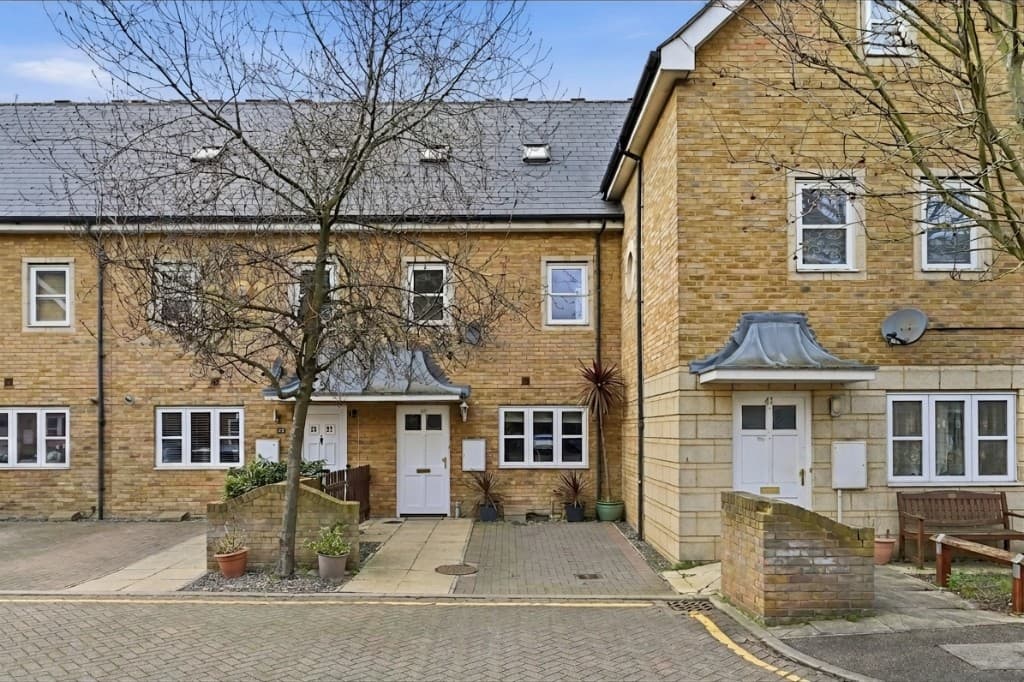 Edited
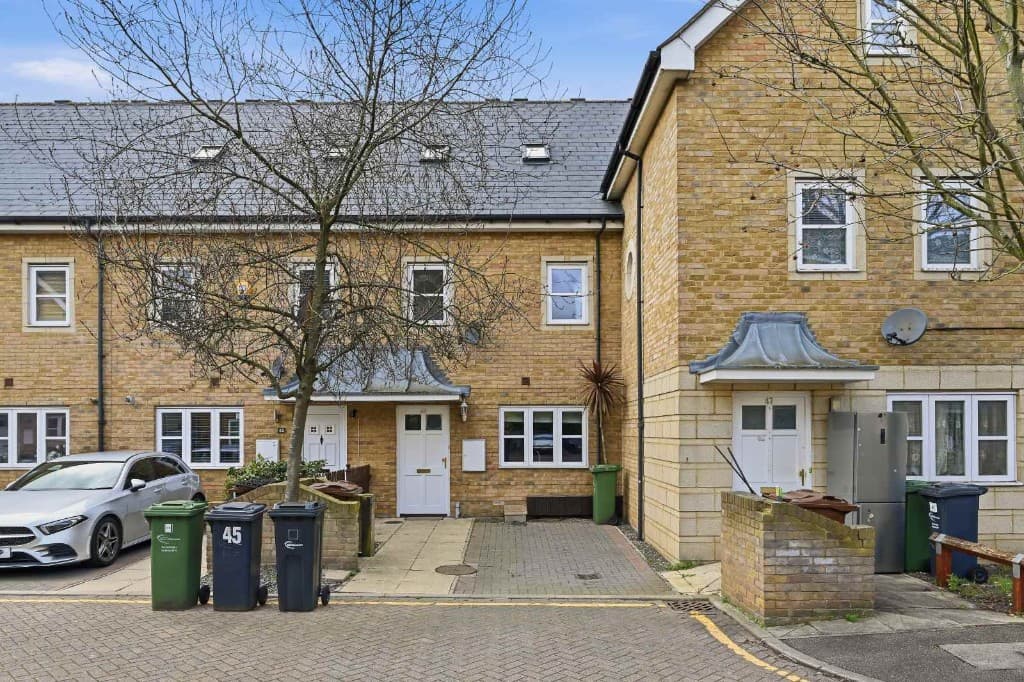 Original
Quick answer
Upload an exterior photo to PhotoClear, brush over the wheelie bins and recycling boxes, and the AI removes them and rebuilds the paving, path or kerb in seconds. The frontage looks instantly tidier — no need to reschedule around bin day.
Key takeaways
Wheelie bins, recycling boxes, food caddies, bin bags and general rubbish on paths, kerbs and side returns.
Bins clutter the frontage and weaken the first impression. Removing them keeps attention on the building and kerb appeal.
Yes. The AI reconstructs slabs, block paving, gravel or grass to match the surrounding surface.
Wheelie bins are one of the most common exterior eyesores — especially on collection day. Removing them digitally is faster than dragging every bin out of shot before the photographer arrives.
PhotoClear deletes bins and rebuilds the surface underneath so there is no gap or smudge where they stood.
Use it on front paths, kerbsides, side returns and shared bin stores outside flats and terraces.
Why it works
Clear paths and kerbs so the property looks cared for.
Clean frontages lift click-through on portals.
Shoot anytime and remove bins afterwards.
Paving and paths rebuild convincingly.
How it works
From cluttered photo to a reviewed, downloadable image in four steps.
Add a JPEG, PNG or WebP listing photo — interior or exterior — from your computer or phone.
Use a one-click preset for clutter, cars or bins, or brush over a specific item you want removed.
Check the result before you publish. Confirm it still represents the property accurately.
Save a high-resolution image with no watermark, then use it in your listing workflow.
See the difference
Drag the slider to see wheelie bins removed cleanly.
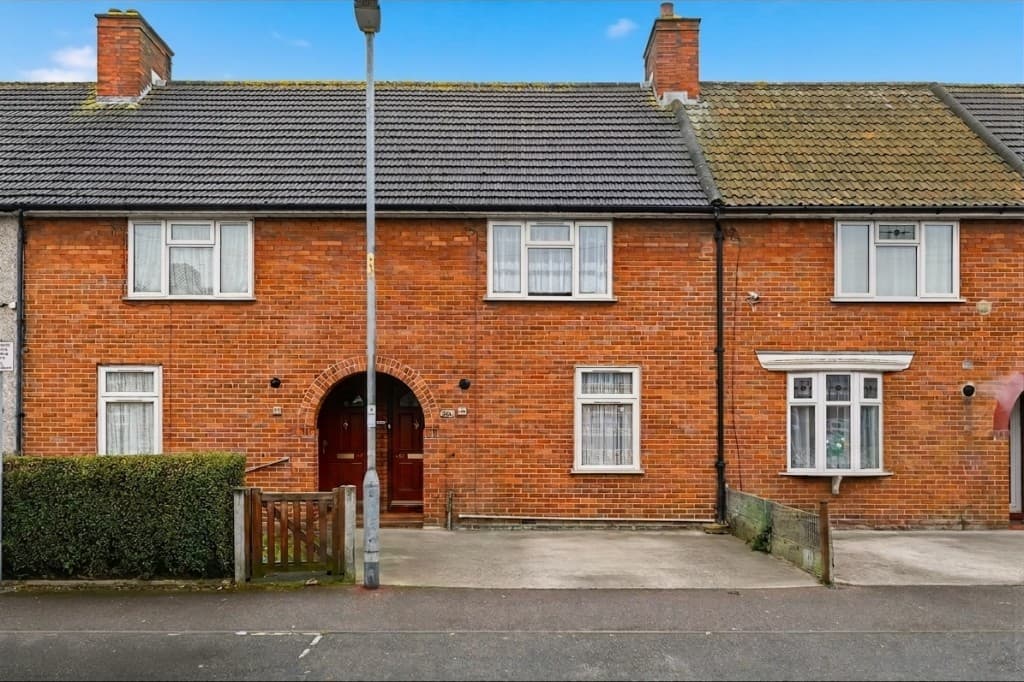 Edited
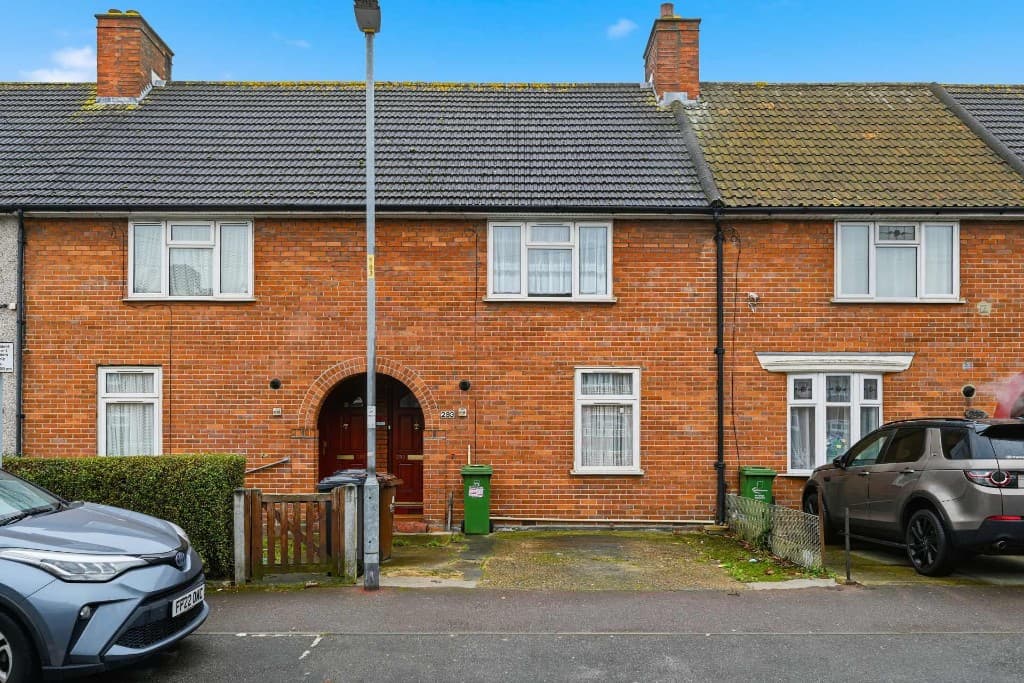 Original
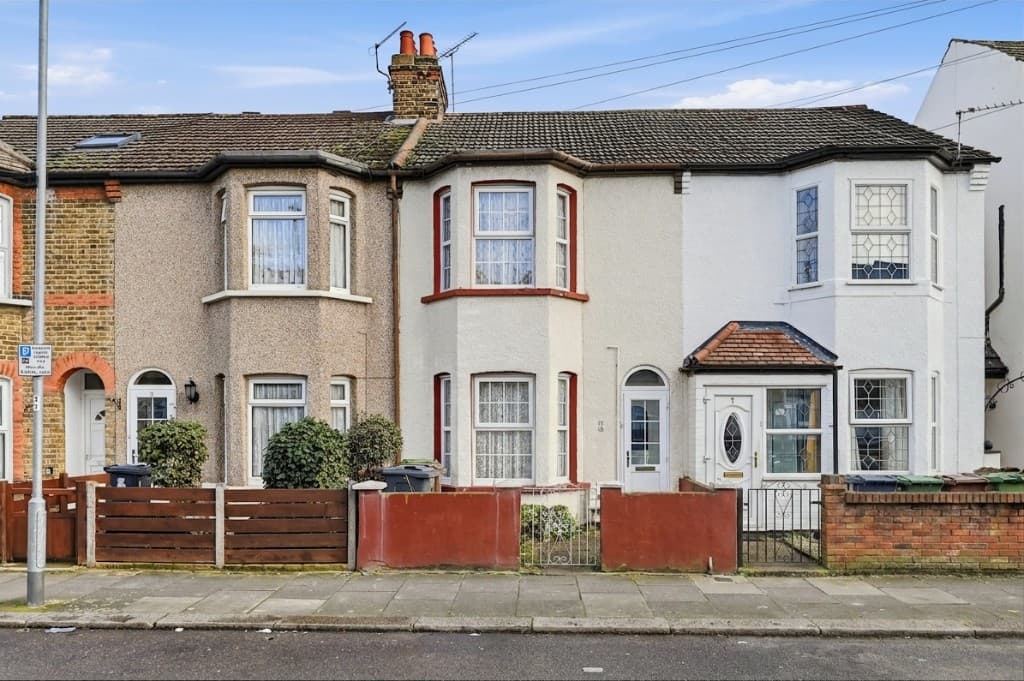 Edited
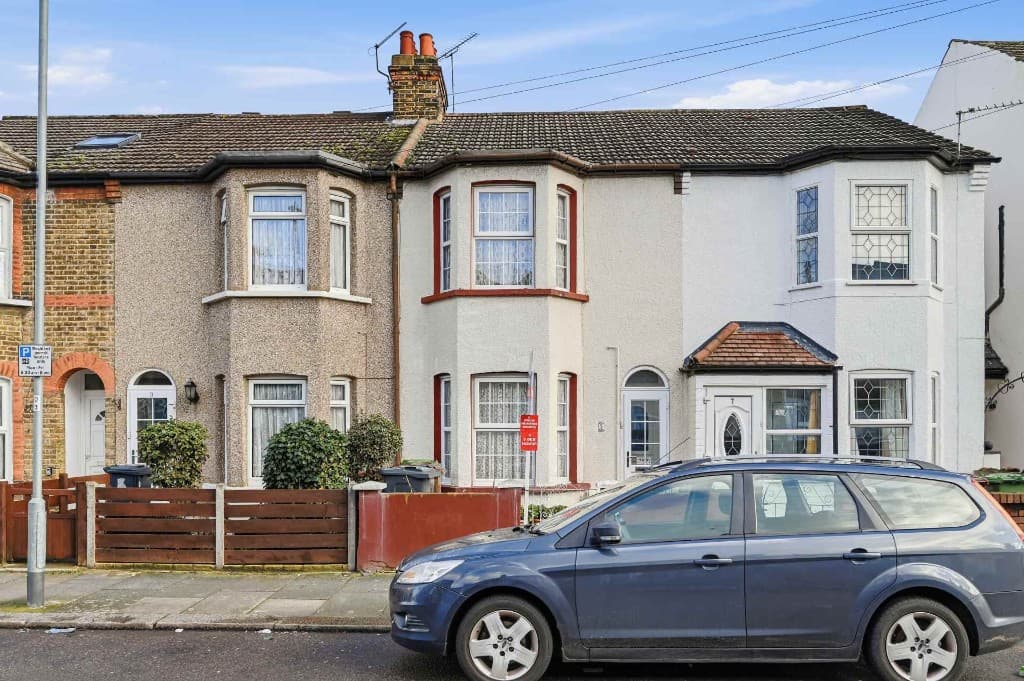 OriginalEditedOriginal
Wheelie bins rarely appear alone. Clear bins together with cars and signs in one PhotoClear pass for a complete exterior tidy-up.
Typical scenarios:
Compare
Why most agents and photographers use AI for everyday cleanup.
| Factor | Manual / Photoshop | PhotoClear AI |
|---|---|---|
| Who does the work | A retoucher or in-house editor | You run it in the browser |
| Cost per photo | Typically billed per image | 1 credit per declutter |
| Skill needed | Photoshop expertise | Upload, preset or brush, then review |
| Turnaround | Often hours or a day | You start as soon as you upload |
| Review | Depends on the editor | You check the image before publishing |
| Best for | Complex, one-off hero edits | Everyday clutter, cars and bins |
FAQ
Answers to the questions people ask most about this PhotoClear tool.
Summary
PhotoClear removes wheelie bins from photos in seconds and rebuilds clean paving — so exteriors look tidy even on collection day.
Explore further
Upload an exterior and clear the bins with AI. Start free.
10 free credits on sign-up · No card required