
How To Remove Cars From Driveway Photos
How to remove cars from driveway and street-scene photos with AI, and rebuild a clean exterior in seconds.
Key Takeaways
- AI removes cars and rebuilds the surface behind them.
- It clears vehicles from driveways, paving, gravel and street scenes.
- You can shoot regardless of parking and remove cars afterwards.
- Removing cars keeps exteriors looking current and timeless.
- It works on the agent's car, neighbours' cars and street parking.
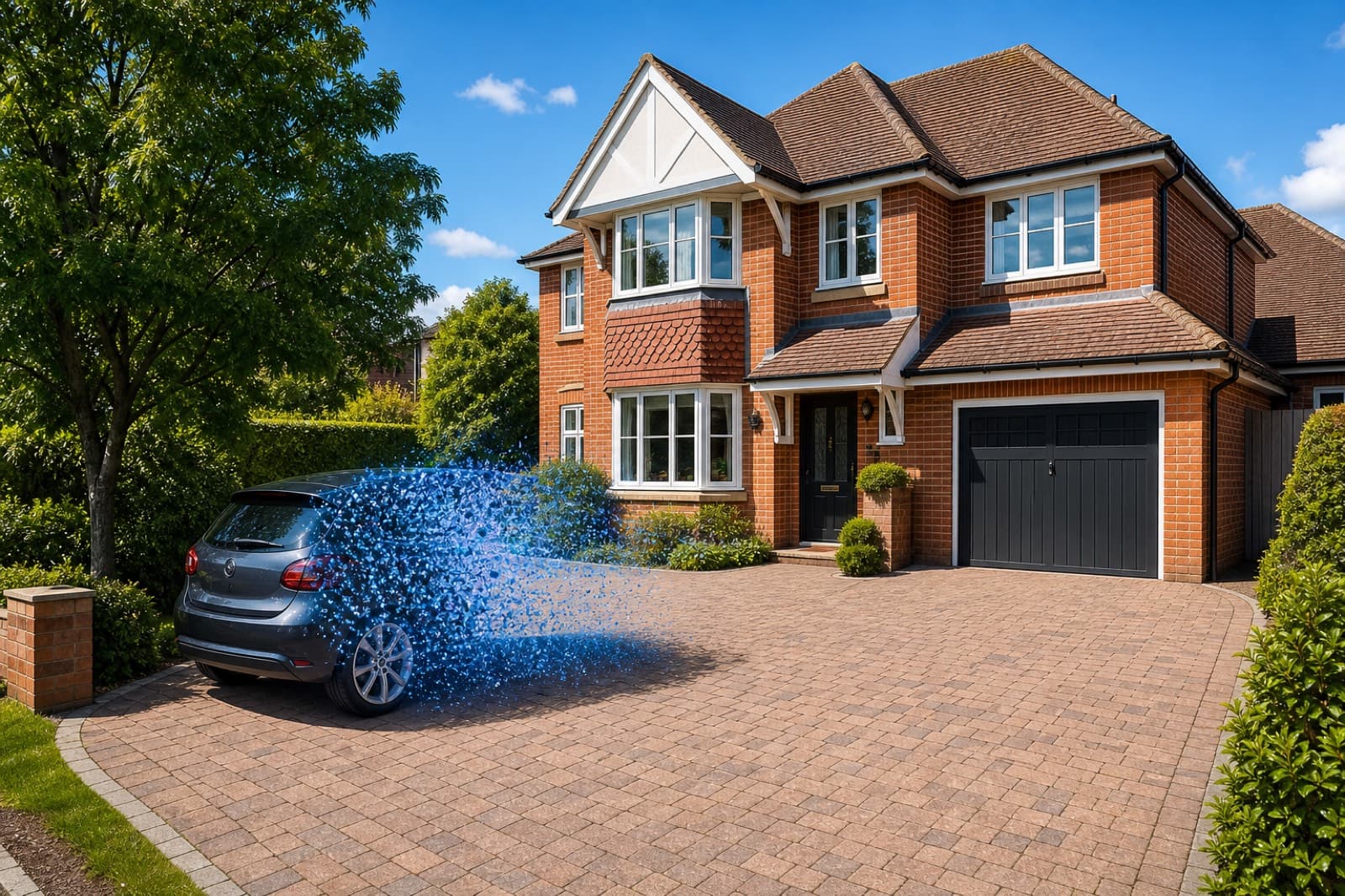
A parked car is one of the most common distractions in exterior property photos. It hides the frontage, dates the image and clutters the driveway or kerb. Here is how to remove cars from driveway photos in seconds with AI.
Step by step
- Upload the exterior photo. Drag it into an AI car remover like PhotoClear.
- Brush over the cars. Mark each vehicle — on the driveway and on the street.
- Let the AI clear them. The cars are removed and the surface — tarmac, paving, gravel or road — is rebuilt behind them in seconds.
- Download and publish. Save the clean, high-resolution exterior for the portal or brochure.
Shoot first, clear later
The biggest practical benefit is that you no longer have to ask owners to move cars before a shoot, or wait for a quiet moment with no street parking. Shoot the property when the light is right, then remove the vehicles afterwards — whether it is the owner's car, a neighbour's, or street parking.
A cleaner, more timeless image
Cars date a photo and pull attention from the property. Removing them keeps the focus on the building and its setting, and gives an exterior that stays current for longer. It is one of the quickest ways to lift kerb appeal in your lead image.
Clear the whole frontage
Cars rarely appear alone. Exterior shots often also contain wheelie bins, road signs and other clutter. A good AI cleanup tool removes all of these in one pass, so you can clean the entire frontage — cars, bins and signage — and rebuild the driveway, pavement and road in a single edit.
Frequently Asked Questions

The PhotoClear Team
AI Photo Cleanup Specialists
The PhotoClear team builds AI photo cleanup tools that help estate agents, photographers, developers and hosts remove clutter and distractions from property photos in seconds.
Clean up your property photos with AI
Put this guide into practice. Remove clutter and distractions from your photos in seconds. Try PhotoClear free.
10 free credits on sign-up · No card required
Related Articles
How To Remove Wheelie Bins From Property Photos
How to remove wheelie bins and rubbish from property photos with AI, for a tidy frontage and a stronger lead image.
How To Remove Furniture From Property Photos
How to remove furniture from property photos with AI — empty a whole room or delete dated pieces, then stage it.
Best AI Object Remover For Real Estate
What to look for in an AI object remover for real estate photos, and why a property-specific tool beats a generic one.