What counts as an unwanted object?
Anything movable that distracts from the property: personal clutter, dated furniture, parked cars, wheelie bins, passers-by, cables, power lines, for-sale boards and street signs.

Remove unwanted objects
Clear every distraction that pulls attention away from the property. PhotoClear removes unwanted objects and rebuilds clean backgrounds so listings look tidy, spacious and professional.
10 free credits on sign-up · No card required

Quick answer
Upload a photo to PhotoClear, mark the unwanted objects — clutter, cars, bins, people, cables or signs — and the AI removes them and rebuilds the background in seconds. You download a clean, high-resolution image ready for Rightmove, Zoopla and brochures, with no Photoshop skill required.
Key takeaways
Anything movable that distracts from the property: personal clutter, dated furniture, parked cars, wheelie bins, passers-by, cables, power lines, for-sale boards and street signs.
Yes. Process each image in seconds and work through a full shoot the same day. Teams can share credits for volume cleanup across a branch.
Yes. Removing movable unwanted objects is accepted practice. You should not alter or hide permanent features that would mislead a buyer.
Unwanted objects are the small details that spoil an otherwise strong listing image: a pile of post on the hall table, a neighbour’s car across the frontage, bins on the kerb, cables snaking across a wall. Removing them digitally keeps the marketing focused on space, light and finish.
PhotoClear is built for this exact job in property marketing. Brush over each unwanted object — or auto-detect distractions — and the AI deletes them while reconstructing believable flooring, walls, paving or sky.
Compared with waiting for an editor overnight or spending half an hour in Photoshop per shot, AI removal collapses the tidy-up into seconds so you can publish the same day you shoot.
Why it works
Lead photos without distractions win more clicks on portals.
Fix clutter and street mess after the shoot instead of rearranging on site.
Every listing image meets the same clean marketing standard.
1 credit per declutter — far cheaper than manual retouching.
How it works
From cluttered photo to a reviewed, downloadable image in four steps.
Add a JPEG, PNG or WebP listing photo — interior or exterior — from your computer or phone.
Use a one-click preset for clutter, cars or bins, or brush over a specific item you want removed.
Check the result before you publish. Confirm it still represents the property accurately.
Save a high-resolution image with no watermark, then use it in your listing workflow.
See the difference
Drag each slider to see unwanted objects disappear.
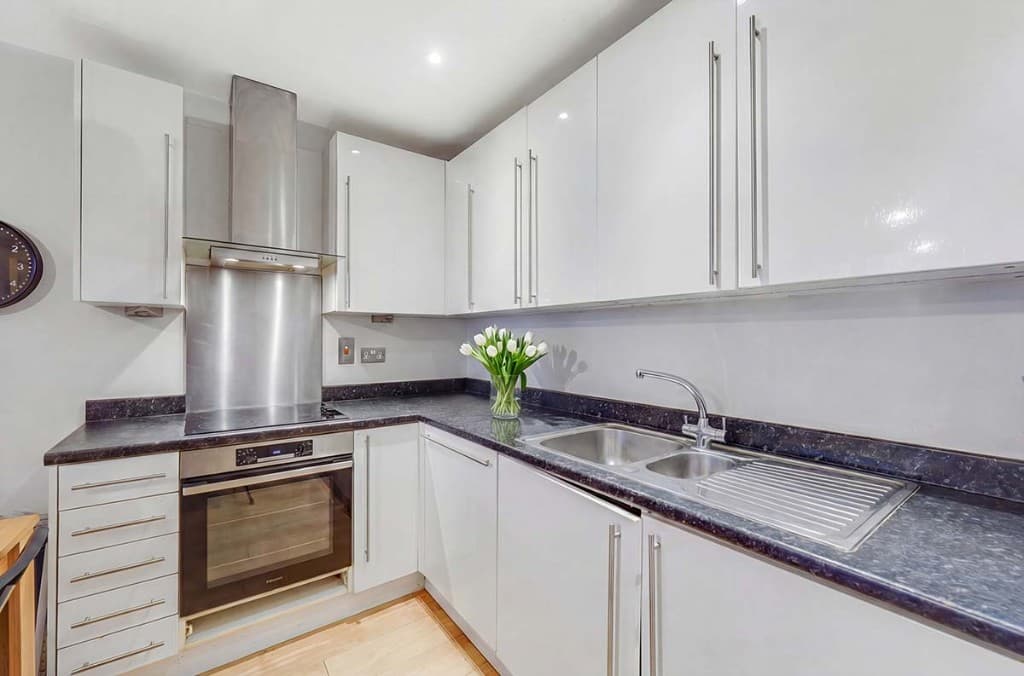 Edited
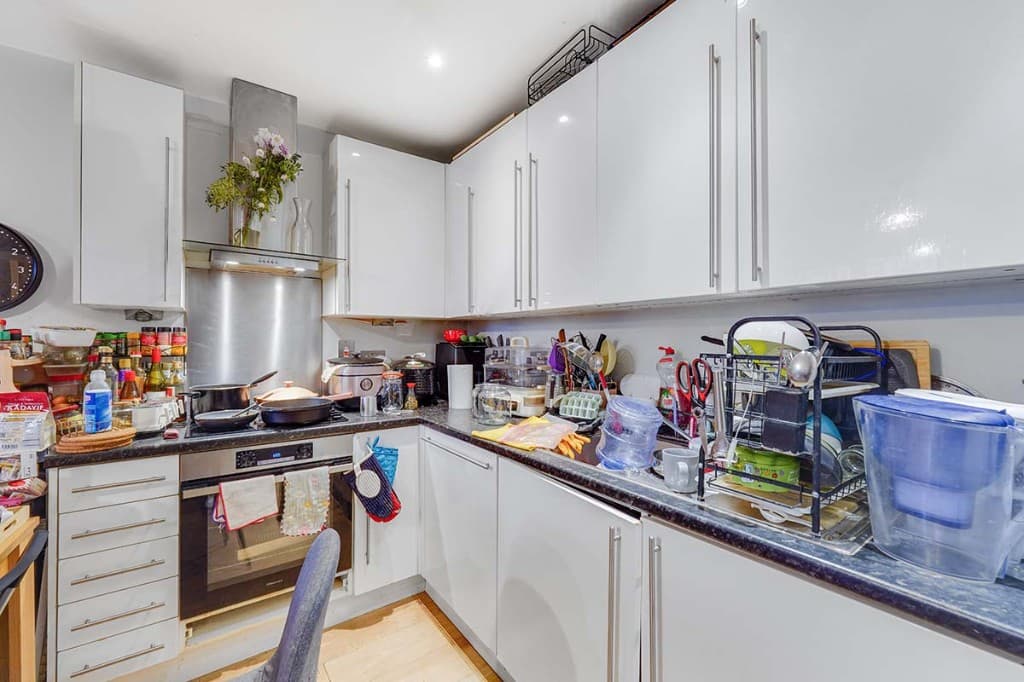 Original
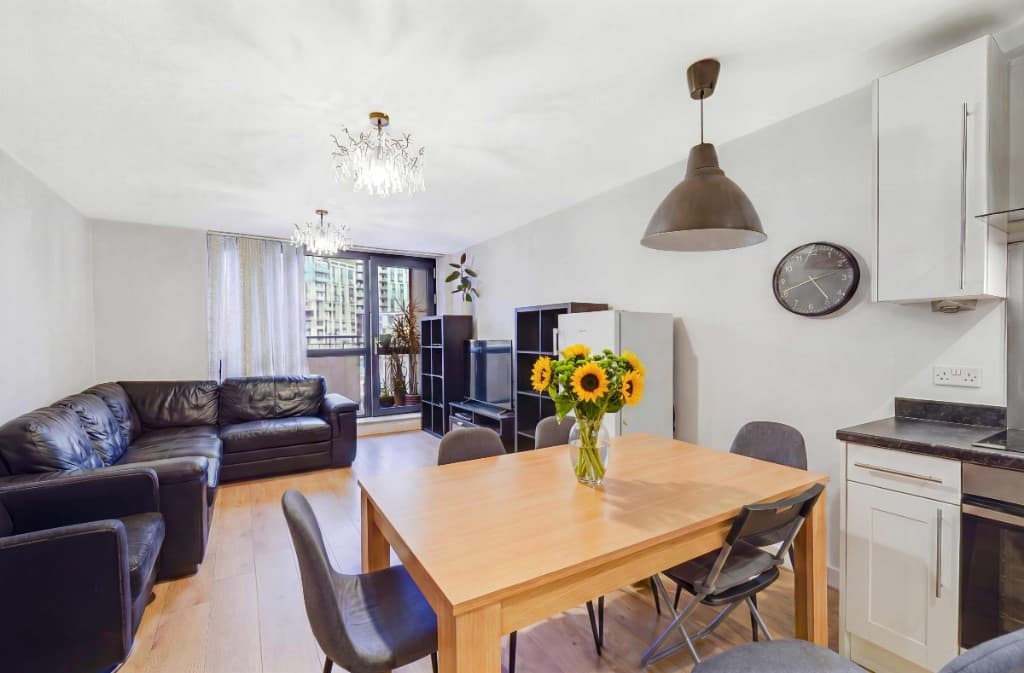 Edited
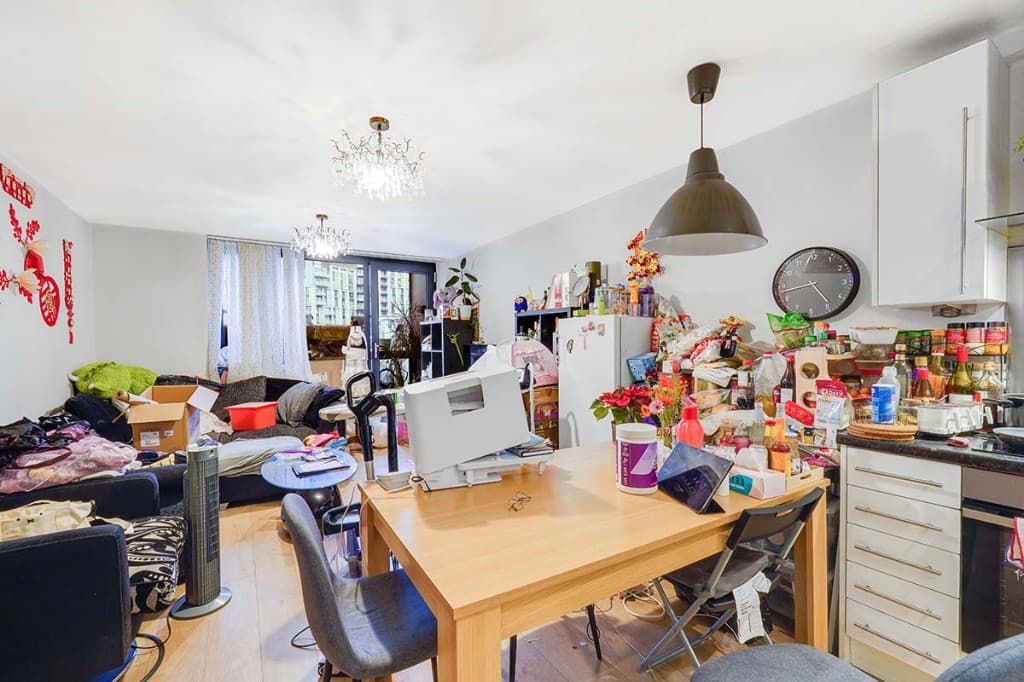 Original
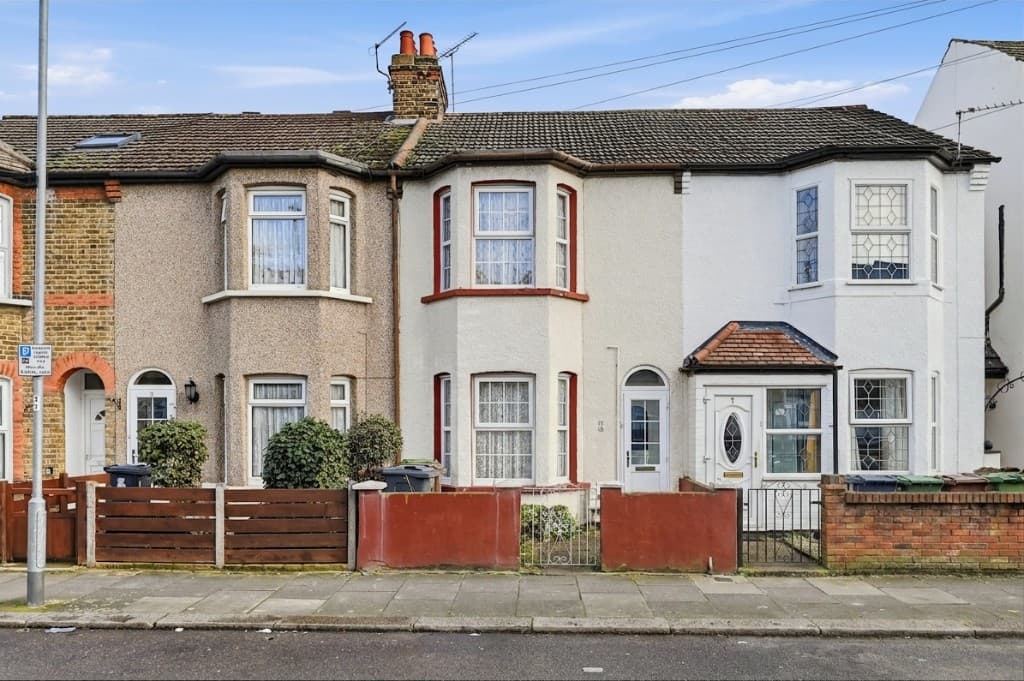 Edited
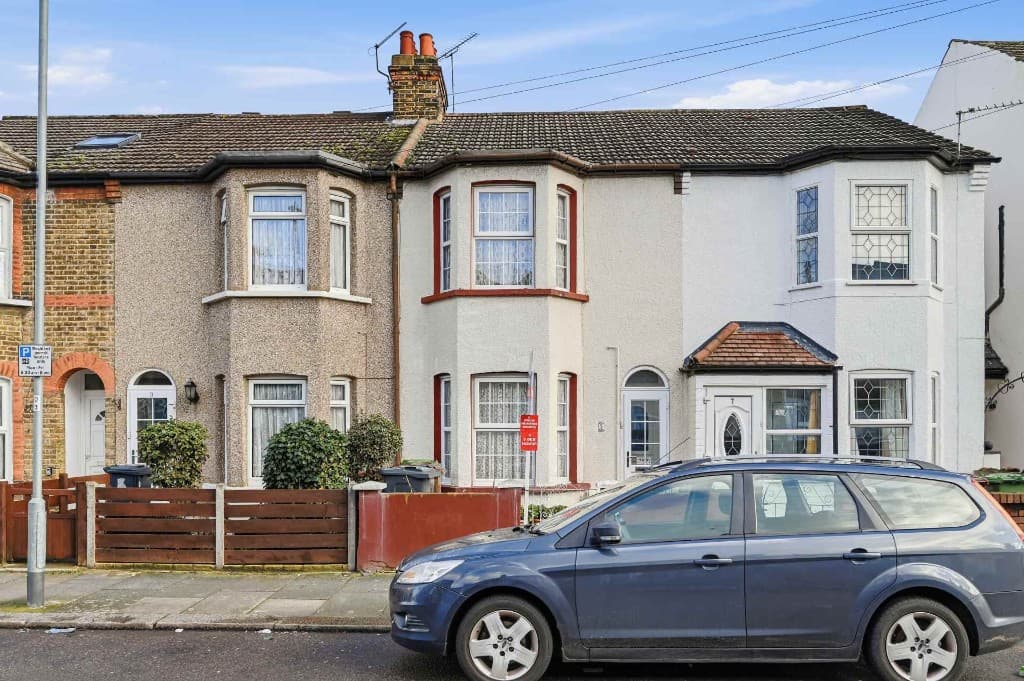 Original
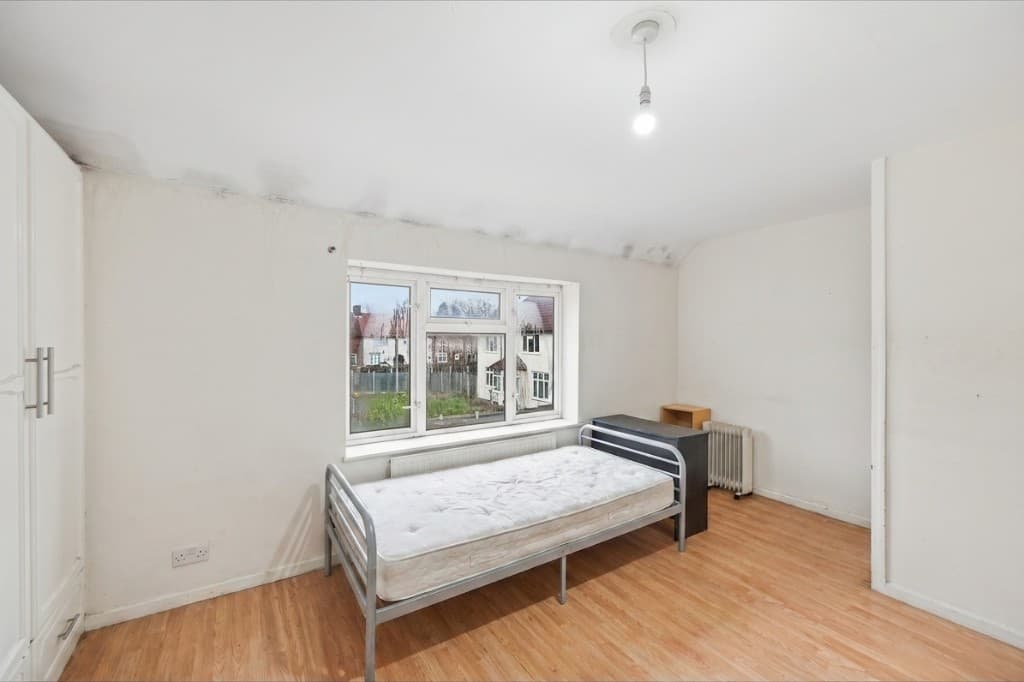 Edited
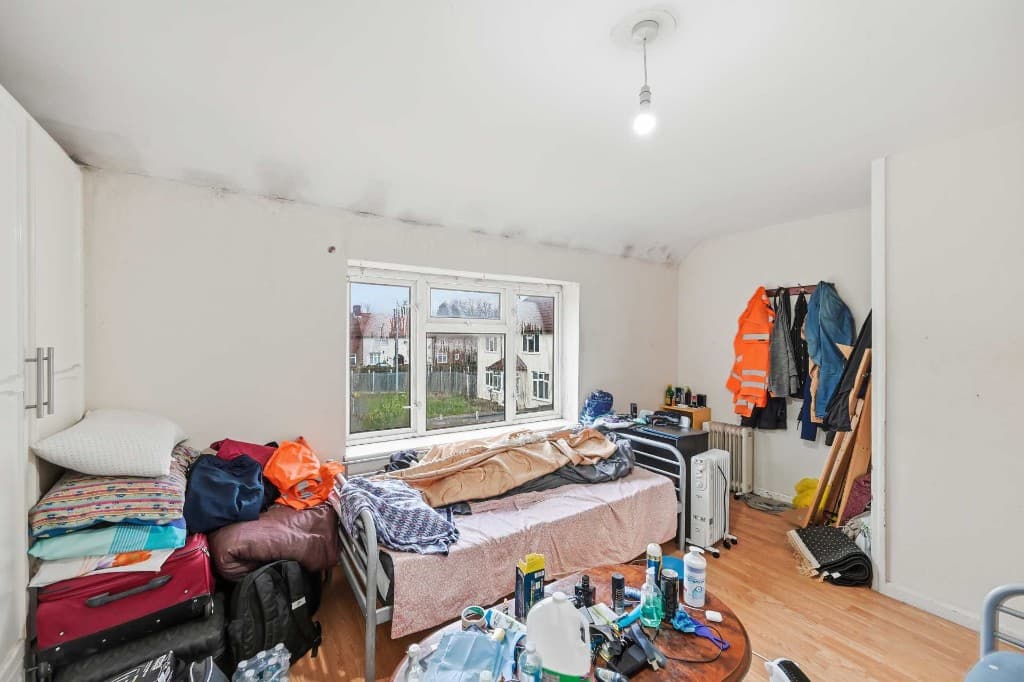 Original
Indoors, unwanted objects are usually personal clutter, toys, toiletries, cables and dated furniture. Outdoors they are cars, bins, signs, power lines and people. PhotoClear handles both in the same workflow.
Many teams remove unwanted objects first, then enhance lighting or stage empty rooms. PhotoClear sits in the ReHub Studio ecosystem so a cleaned image can flow into HDR, virtual staging or listing video without re-uploading.
Compare
Why most agents and photographers use AI for everyday cleanup.
| Factor | Manual / Photoshop | PhotoClear AI |
|---|---|---|
| Who does the work | A retoucher or in-house editor | You run it in the browser |
| Cost per photo | Typically billed per image | 1 credit per declutter |
| Skill needed | Photoshop expertise | Upload, preset or brush, then review |
| Turnaround | Often hours or a day | You start as soon as you upload |
| Review | Depends on the editor | You check the image before publishing |
| Best for | Complex, one-off hero edits | Everyday clutter, cars and bins |
FAQ
Answers to the questions people ask most about this PhotoClear tool.
Summary
PhotoClear removes unwanted objects from property photos in seconds and rebuilds clean backgrounds — so listings look tidy, spacious and portal-ready without manual retouching.
Explore further
Upload a photo and clear every distraction with AI. Try PhotoClear free.
10 free credits on sign-up · No card required